ui.Panel
Overview
ui.Component -> ui.ComponentCollection -> ui.Panel
Panels automatically position components along the panel's direction, resizing them so as to maximize the amount of space occupied by the components without exceeding the panel's dimensions. This makes them the ideal method for quickly authoring interfaces with consistent layouts, regardless of screen size.
Component positioning is fairly straightforward - left to right for horizontal ones, or top to bottom for vertical panels. Resizing meanwhile is more complex as it calculates the amount of empty space based on the panel's dimensions and the sum of all component's requested dimensions, and uses that to drive any percentage based calculations.
Warning
As per the above, this means that if multiple components are using offset-based size values and those exceed the panel's dimensions, some components will be trimmed or missing.
Example
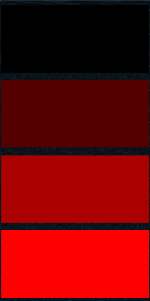
-- Create a vertical panel
local rootPanel = ui.Panel.new(parent)
rootPanel:SetSize(200, 400)
rootPanel.isVertical = true -- Can be omitted - this is also the default
rootPanel.spacing = 10

-- Fill the panel with a few rectangles of equal size
local maxRect = 3
for i=0,maxRect do
    local rect = ui.Rectangle.new(rootPanel)
    rect.colour = Vector4.new(i / maxRect, 0.0, 0.0, 1.0)
    rect.fill = true
    rect:SetSize(0, 0, 1.0, 1.0)
end
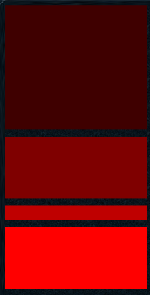
-- Create a vertical panel
local rootPanel = ui.Panel.new(container, categoryID)
rootPanel:SetSize(200, 400)
rootPanel.isVertical = true
rootPanel.spacing = 10

-- Fill the panel with a few rectangles of varying fixed and percentage sizes
local heightOffsets = { 0, 0, 20, 0 }
local heightPcs = { 2.0, 1.0, 0.0, 1.0 }
local maxRect = 4
for i=1,2 do
    local rect = ui.Rectangle.new(rootPanel)
    rect.colour = Vector4.new(i / maxRect, 0.0, 0.0, 1.0)
    rect.fill = true
    rect:SetSize(0, heightOffsets[i], 1.0, heightPcs[i])
end
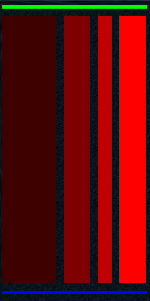
-- Create a vertical panel
local rootPanel = ui.Panel.new(container, categoryID)
rootPanel:SetSize(200, 400)
rootPanel.isVertical = true
rootPanel.spacing = 10

-- Add a header to our original panel
local headerRect = ui.Rectangle.new(rootPanel)
headerRect.colour = Vector4.new(0.0, 1.0, 0.0, 1.0)
headerRect.fill = true
headerRect:SetSize(0, 5)

-- Add a horizontal panel to our existing vertical one
local horizontalPanel = ui.Panel.new(rootPanel)
horizontalPanel:SetSize(0, 0, 1.0, 1.0)
horizontalPanel.isVertical = false
horizontalPanel.spacing = 10

-- Add some coloured rectangles to our horizontal panel
local widthOffsets = { 0, 0, 20, 0 }
local widthPcs = { 2.0, 1.0, 0.0, 1.0 }
local maxRect = 4
for i=1,4 do
    local rect = ui.Rectangle.new(horizontalPanel)
    rect.colour = Vector4.new(i / maxRect, 0.0, 0.0, 1.0)
    rect.fill = true
    rect:SetSize(widthOffsets[i], 0, widthPcs[i], 1.0)
end

-- Add a footer to our original panel
local footerRect = ui.Rectangle.new(rootPanel)
footerRect.colour = Vector4.new(0.0, 0.0, 1.0, 1.0)
footerRect.fill = true
footerRect:SetSize(0, 5)
Methods
Constructor
function ui.Panel.new(parent : ui.ComponentCollection, categoryID : Int?, dynamicID : Int?) -> Panel
Creates a new Panel on the specified parent.
Warning
Creating a component can fail if there's already a component on that parent with the same category ID and dynamic ID, or if those are omitted and the application is unable to generate a valid ID for the component.
| Parameter | Type | Description |
|---|---|---|
| parent | ui.ComponentCollection | Parent component to create this panel in. |
| categoryID | Int? | Category ID used to identify this component. Defaults to the parent's category ID if not specified. |
| dynamicID | Int? | Dynamic ID used to identify this component. Defaults to auto-incrementing from the parent's dynamic ID if not specified. |
| Returns | Description |
|---|---|
| Panel | The newly created panel. The caller must set its layout and visual information afterwards. |
Properties
| Name | Type | Description |
|---|---|---|
| isVertical | Bool | If true, child components will be positioned in order from the top to the bottom, otherwise a horizontal layout will be used. Changing this will trigger a layout operation on all child components. |
| spacing | Int | The size of the gap between components in interface units. Changing this will trigger a layout operation on all child components. |